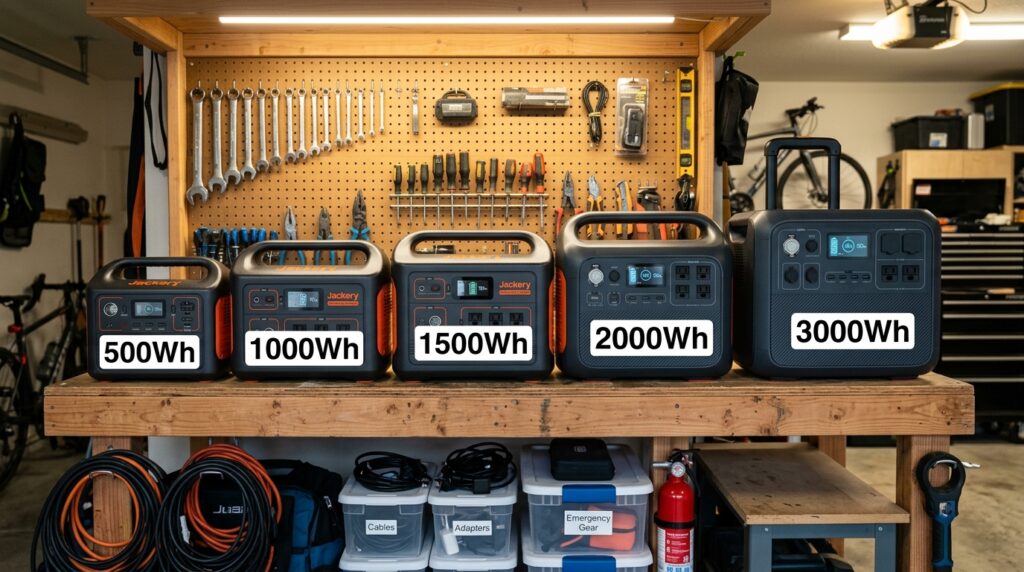
We’ve now run the real math on three of the biggest outage priorities — a CPAP machine, a wifi router and modem, and a full-size fridge — and each one told the same story: the number on the box doesn’t tell you what you actually need. This article pulls those numbers together into one sizing chart, so instead of guessing at “1000Wh vs 2000Wh,” you can match a power station to what you’re actually trying to keep running, and for how long.
Portable Power Station Size Chart:
Step 1: Figure Out What You’re Actually Protecting
Not everyone needs the same setup. A renter riding out a one-night outage with just their phone and wifi has completely different needs than a household trying to keep a CPAP, a fridge, and a work laptop running for three days. Start by picking the profile closest to your real situation.
| Profile | What’s Running | Estimated Daily Energy Need |
|---|---|---|
| A — Communication Only | Wifi router + modem, phone charging | ~447 Wh/day |
| B — Medical + Communication | Adds a CPAP machine (moderate settings) | ~927 Wh/day |
| C — Comfort | Adds basic LED lighting + a laptop for remote work | ~1,287 Wh/day |
| D — Full Household | Adds a full-size fridge | ~2,787 Wh/day |
These use the same wattage figures from our device-specific breakdowns — router and modem combined at ~18W continuous, CPAP at a moderate ~60W average over an 8-hour night, basic LED lighting (a few bulbs, a few hours), a standard laptop at ~40W average during work use, and a fridge averaging ~1.5 kWh per day. Your real numbers may run higher or lower — check the wattage label on your own devices where possible, the same way we did in the CPAP and fridge breakdowns.
Step 2: Match Your Profile to a Power Station Size
Here’s where it gets useful. Using a realistic ~85% inverter efficiency (the same figure we used throughout this series), here’s how many days each profile actually gets out of common power station sizes:
| Station Size (rated) | Usable Capacity (~85%) | Profile A (Days) | Profile B (Days) | Profile C (Days) | Profile D (Days) |
|---|---|---|---|---|---|
| 300Wh | ~255Wh | 0.6 | 0.3 | — | — |
| 500Wh | ~425Wh | 1.0 | 0.5 | — | — |
| 1000Wh | ~850Wh | 1.9 | 0.9 | 0.7 | 0.3 |
| 2000Wh | ~1,700Wh | 3.8 | 1.8 | 1.3 | 0.6 |
| 3000Wh | ~2,550Wh | 5.7 | 2.8 | 2.0 | 0.9 |
A few things jump out of this table that are worth sitting with. If you only need wifi and phone charging (Profile A), even a compact 500Wh station gets you close to a full day — you genuinely don’t need to overspend here. But if a fridge is part of your plan (Profile D), even a large 3000Wh station — a serious, expensive investment — doesn’t quite cover one full day on its own.
That’s not a flaw in any particular product; it’s just what the math looks like once you’re running something as energy-hungry as a compressor-driven fridge continuously.
Why “3-Day Outage” Usually Means a Recharge Plan, Not Just a Bigger Battery
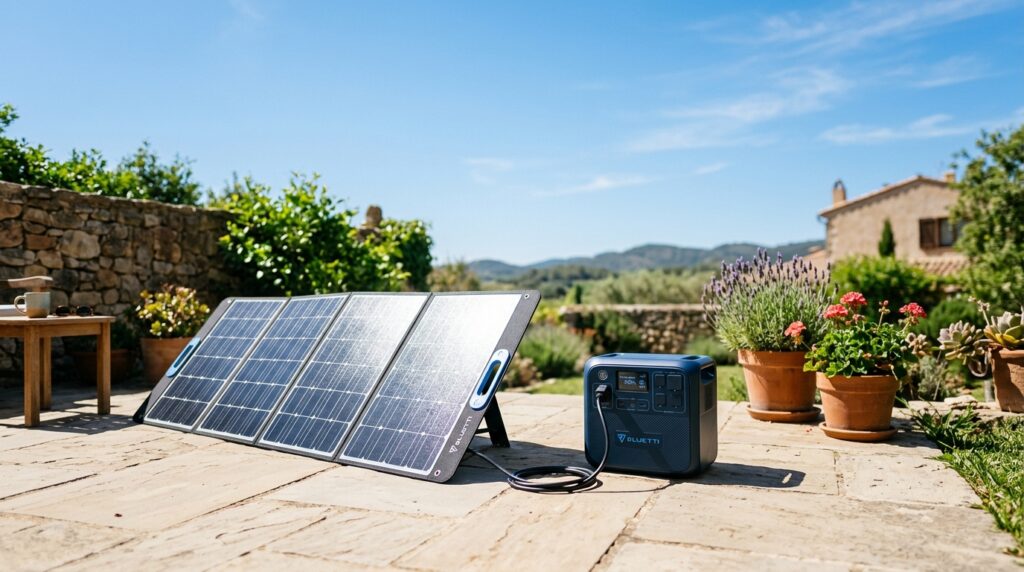
This is the honest conclusion this math keeps pointing to: for anything beyond Profile A or a light version of Profile B, a single power station — no matter how large — isn’t really built to cover three full days without being recharged somewhere in between. Even a 3000Wh unit running a full household load empties in under a day.
That changes the real question from “how big a battery do I need” to “how do I recharge during the outage.” A few practical paths:
- Solar recharging. Pairing your power station with solar panels — even compact, renter-friendly panels — lets you top up capacity during daylight hours instead of relying on one finite charge. We break down realistic recharge times in our solar panel wattage and recharge time guide, and for anyone without a yard or rooftop access, our balcony solar kits for renters guide covers no-installation options.
- Rationing rather than running everything continuously. As we covered in the fridge breakdown, a full-size fridge doesn’t need constant power to stay safe — running it in blocks rather than around the clock stretches a single charge considerably further.
- An expansion battery. Several power station models let you add a second battery pack rather than buying an entirely separate unit, which is often more cost-effective than jumping up a whole size tier. Whether that’s worth it for your setup is covered in our expandable battery power station breakdown.
Quick Recommendations by Situation
- Just need wifi and phone charging through a short outage? A 500Wh-class station is genuinely enough — don’t overspend on capacity you won’t use.
- Depend on a CPAP and want more than one night of coverage? Look at 2000Wh or pair a 1000Wh unit with solar recharging rather than assuming a bigger single battery solves it alone.
- Trying to protect a fridge full of food for a multi-day outage? Plan around a recharge strategy from day one — solar, rationed runtime, or both — rather than expecting any single battery to carry the full load continuously.
- Setting up for remote work during outages? Our home office blackout guide walks through the laptop-plus-router-plus-monitor math specifically.
The Bottom Line
There’s no single “right size” power station — there’s only the right size for what you’re actually trying to keep running, and for how long. The pattern across every device we’ve measured in this series is the same: manufacturers advertise capacity, but real-world usable runtime is meaningfully lower once you account for inverter losses, and multi-day coverage for anything beyond light communication use almost always requires a recharge plan, not just a bigger box.
Start with your actual daily energy need from the table above, match it honestly against what a single charge gets you, and plan your recharge strategy before you need it — not during the outage.